

What You’ll Learn
This guide shows you how to:- Access the AI Config Generator in Agent Studio
- Write descriptions that produce good results
- Use generated configurations in your projects
How to Use the AI Config Generator
1
Open the Generator
In Agent Studio, click the ✨ Generate Config button in the top toolbar.
2
Describe Your Agent
In the modal that appears, describe what you want your agent to do.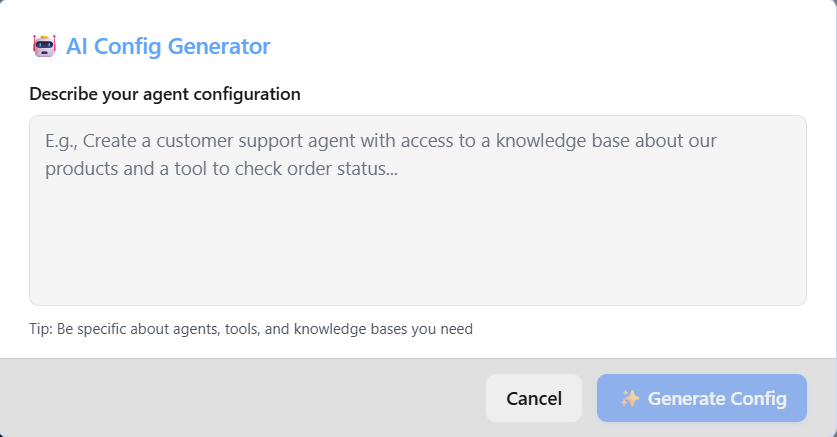
- What task the agent should perform
- What data it needs to extract or analyze
- What tools it should use (if any)
3
Generate
Click Generate Config and wait a few seconds. The AI will create a complete YAML configuration.
4
Review and Test
The generated configuration appears in your YAML editor. Review it, then click Load Configuration to test it.
Writing Good Descriptions
✅ Good Examples
Data Extraction❌ Avoid
Try These Examples
Copy and paste these into the generator to see what it creates:Example 1: Meeting Analyzer
Example 2: Email Classifier
Example 3: Quality Check
Tips for Best Results
Common Issues
What’s Next?
Now that you can generate configurations:Test Your Agent
Learn how to test and run your generated agent